Loora AI: Lessons to Learn, Points to Consider in Onboarding
In short
Loora AI’s onboarding uses video to make social proof feel real, introduces itself and addresses users by name, offers an optional profile photo and warms users up before the push request. Worth testing: move sign-in and ATT off the first screen, add facts to questions, preselect the device language and summarize the benefits before the paywall.
#38 in Education, ~16 onboarding screens
👤 100K users, 💰$300K revenue
What can we learn from them
- 1. They use videos to enhance the realism of social proof.
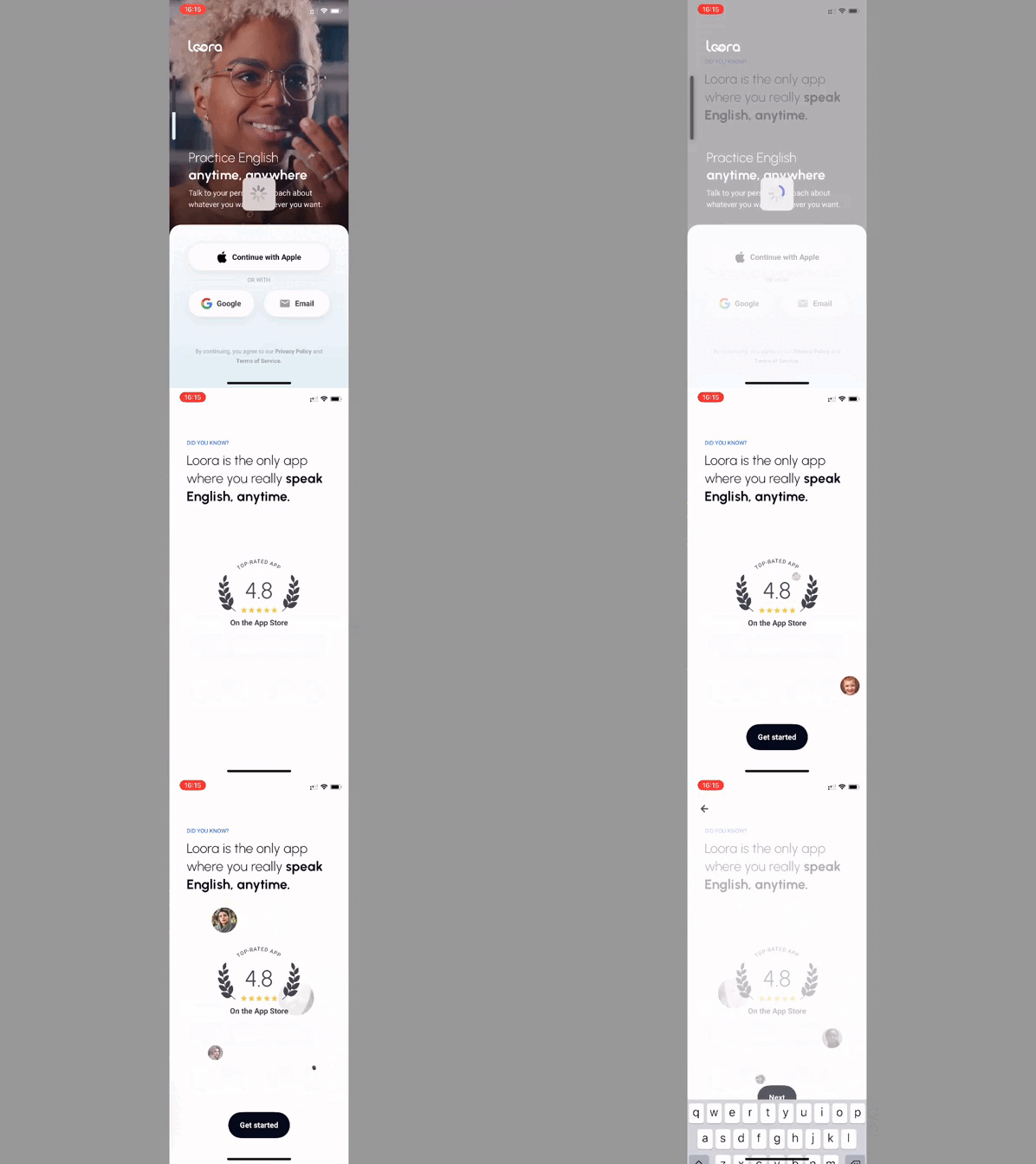
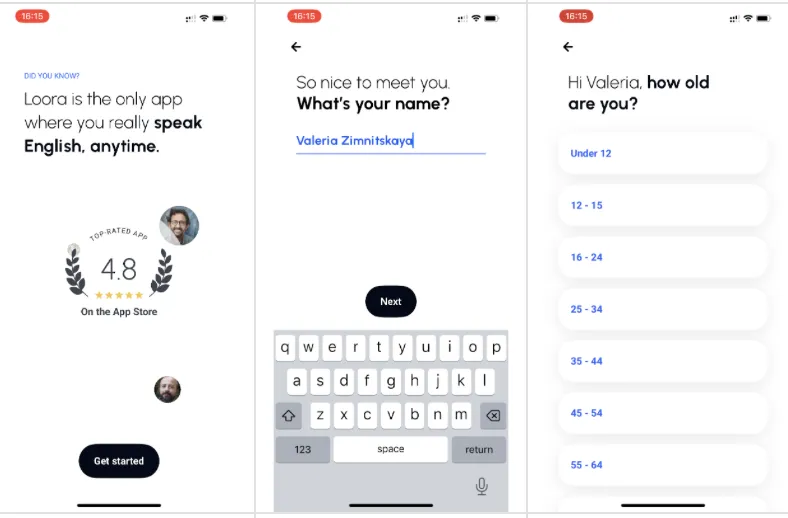
- 2. They introduce themselves, ask for the user’s name, and address them personally.
- 3. They offer the option to take a profile photo but leave the choice to use a default picture.
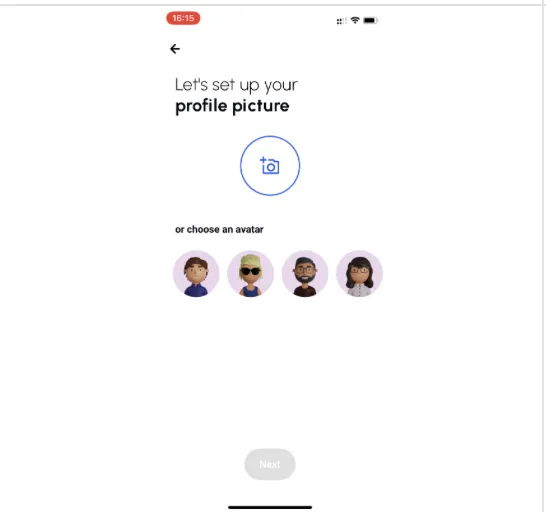
❓ It would be helpful to explain why setting a profile picture is important on the third screen.
- 4. After the block with questions, they clearly state that they will assist with them, reinforcing this with social proof.
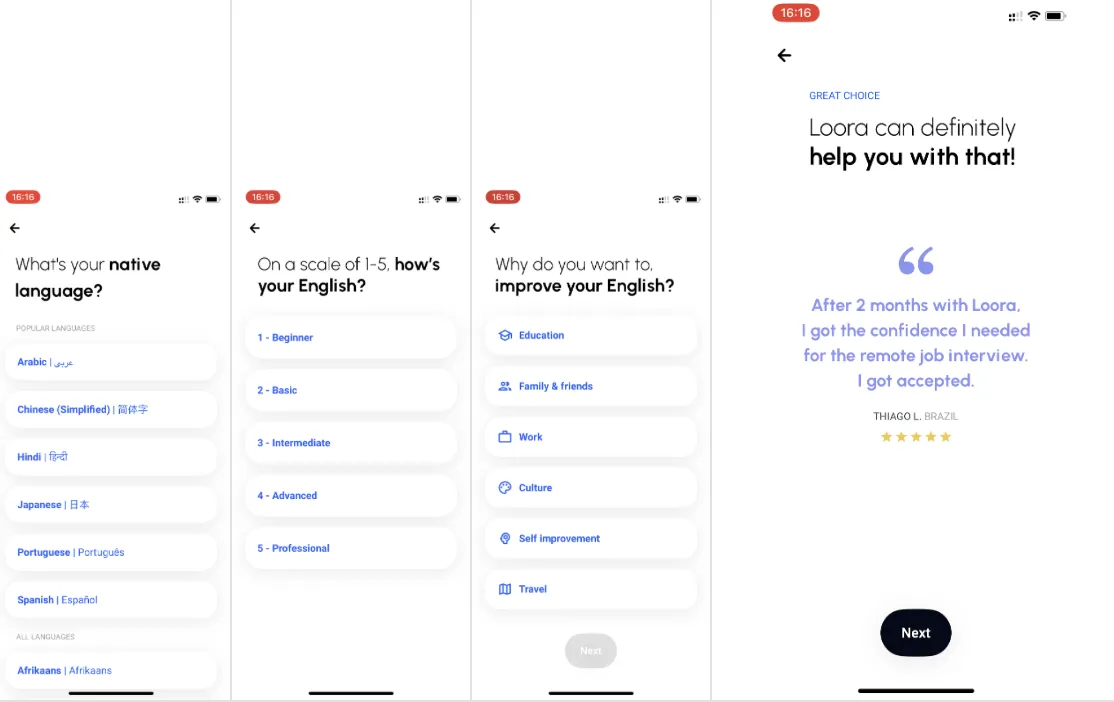
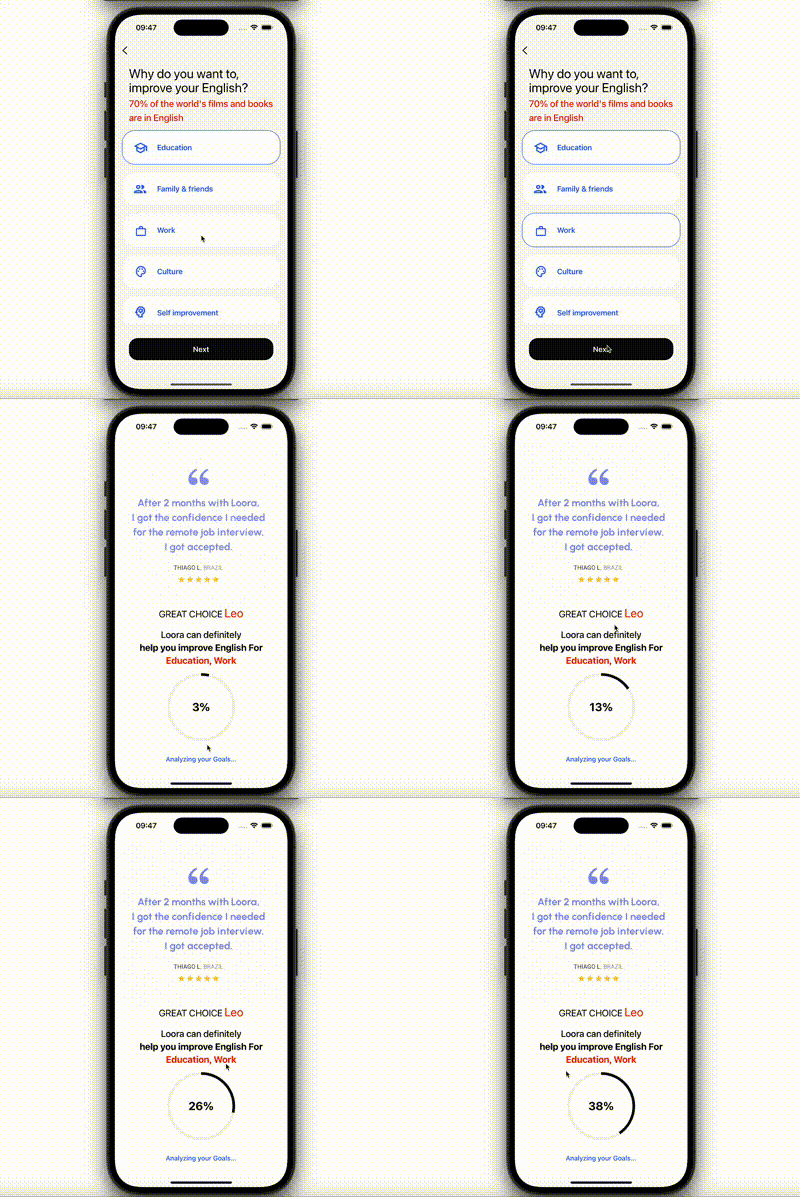
- 💡 This could be improved by using personal references and user goals (based on other answers).
- 💡 This aligns well with the labor illusion effect.
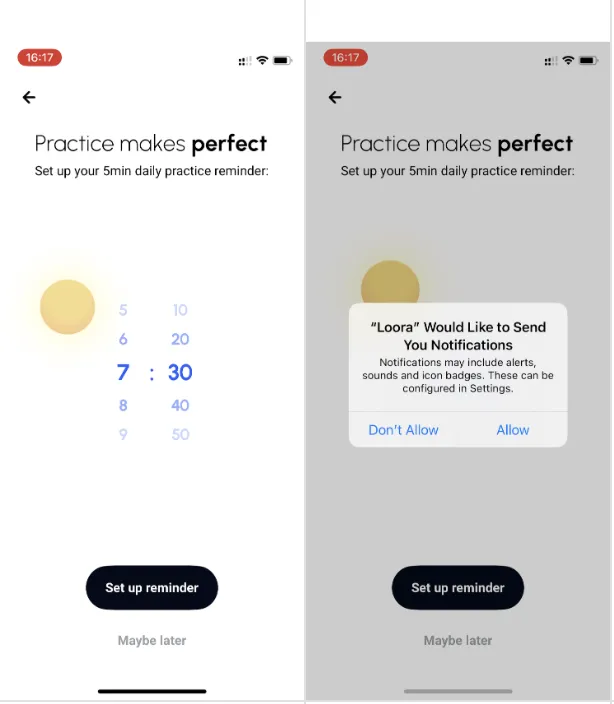
- 5. They warm up the user before requesting push notification permissions. 🥸 This could be enhanced with social proof and personalization based on user goals. “Users who regularly practice improve {usergoal} 75% faster.”
What could be experimented with
- 1. Move the authorization from the first screen. 💡 The user hasn’t received any value yet, but they’re already being asked for ATT permission and to create an account.
- 2. Add facts or context to the questions to help the user understand how answering will benefit them. 💡 This will increase motivation to answer, showcase your professionalism, and give the user some value right during onboarding.
- 3. For the language question, automatically select the device language (it will be correct in 95% of cases). 💡 This reduces cognitive load, so the motivation can be reserved for the paywall.
- 4. For the question about English proficiency, add an option like “NOT SURE - WANT to determine” and provide a mini-test. 💡 This lowers cognitive load for those who find it difficult to assess their level and immediately provides value by helping them determine it.
- 5. Include a summary of benefits before the paywall, showing what the user will gain. 💡 Showing that the program is personalized (taking into account answers/contexts) increases the chance that the price will seem fair.
- 6. Add personal references and user goals to the paywall.
- 7. Onboarding could be enhanced with more types of social proof – currently, only 2 out of 7 types are used (see the seven types of social proof).
Key takeaways
- Video makes social proof feel more real than a static rating alone.
- Asking for the user’s name early lets the product address them personally for the rest of the flow.
- Asking for ATT permission and an account on the first screen, before any value, is worth testing against a later placement.
- Facts added to questions raise the motivation to answer, show expertise and give users value during onboarding.
- Preselecting the device language and offering a mini-test for English level reduce cognitive load and save motivation for the paywall.