Onboarding as the Ultimate Audience Research Tool
In short
Onboarding is a place in every product where you can ask users what they need, how they use the product and what they value. Add an “other (your choice)” option with a free-text screen to choice questions, or A/B test a direct question; the answers help prioritize the backlog and raise conversion.
Anyone who has conducted audience research knows it's a complex, lengthy, and costly process.
However, there's a spot in every product where you can ask your users:
- What do they need?
- In what context do they use your product?
- Do they have experience with similar products?
- What do they consider important and what are their dislikes?
- What are their goals when your product meets their needs?
- And much more.
When we design an activation funnel for a product, we start with onboarding that helps identify key audience characteristics.
- Analytics reveal user choices
- We determine which segments perform target actions best
- Consider how to engage segments not ready to pay immediately.
However, many overlook a powerful tool—open-ended questions:
- 1. On every screen where you offer users a choice, you can add an option "other (your choice)." If a user selects this, show a text input screen: "If you don't mind sharing—tell us your choice, and we will consider your opinion to tailor the product for you."
💡 You might be surprised, but users often share their opinions—this information can be invaluable! Once you stop receiving new information, you can remove these options. Such research can be repeated periodically.
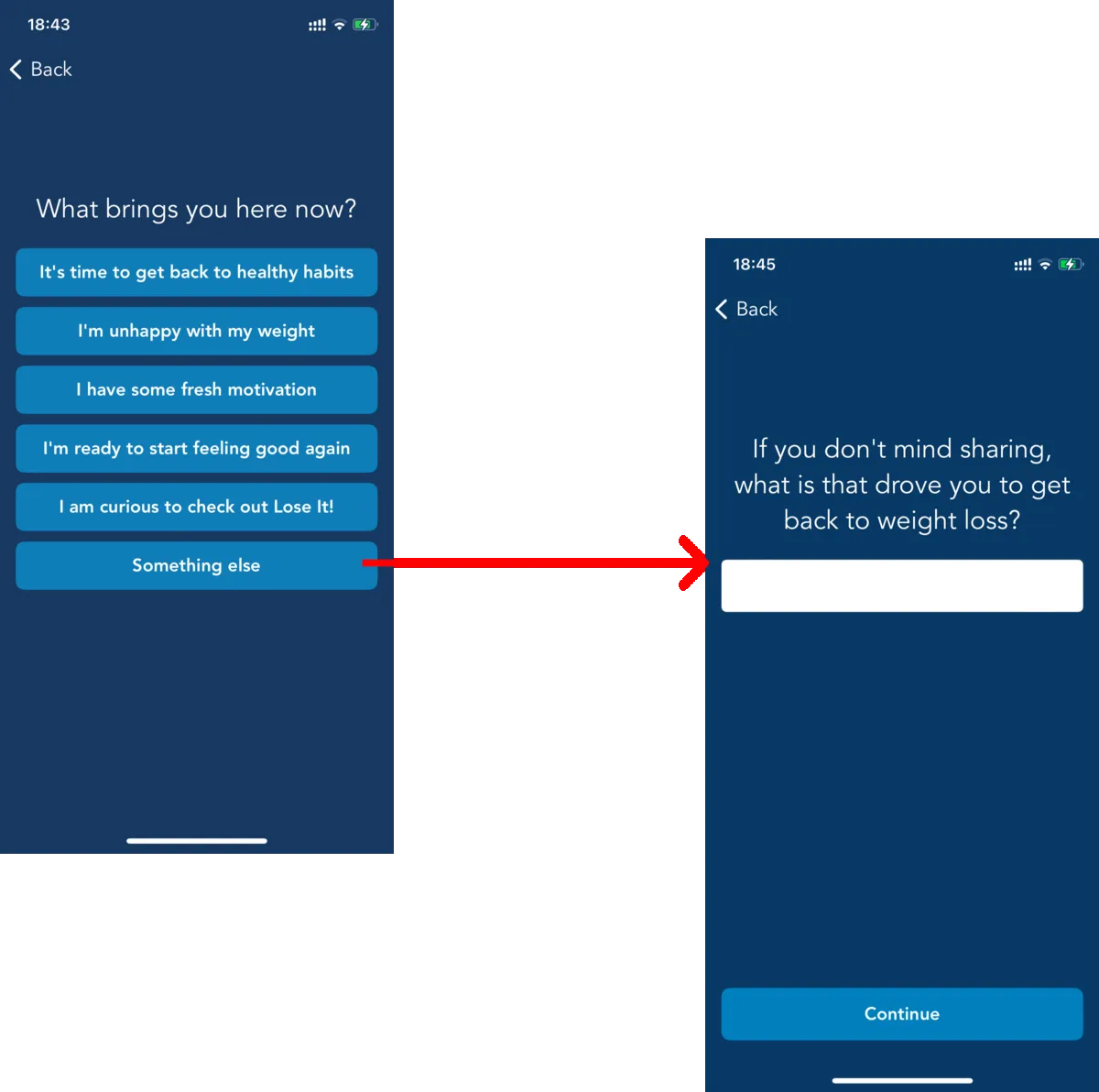
The "Lose It" app uses this approach.
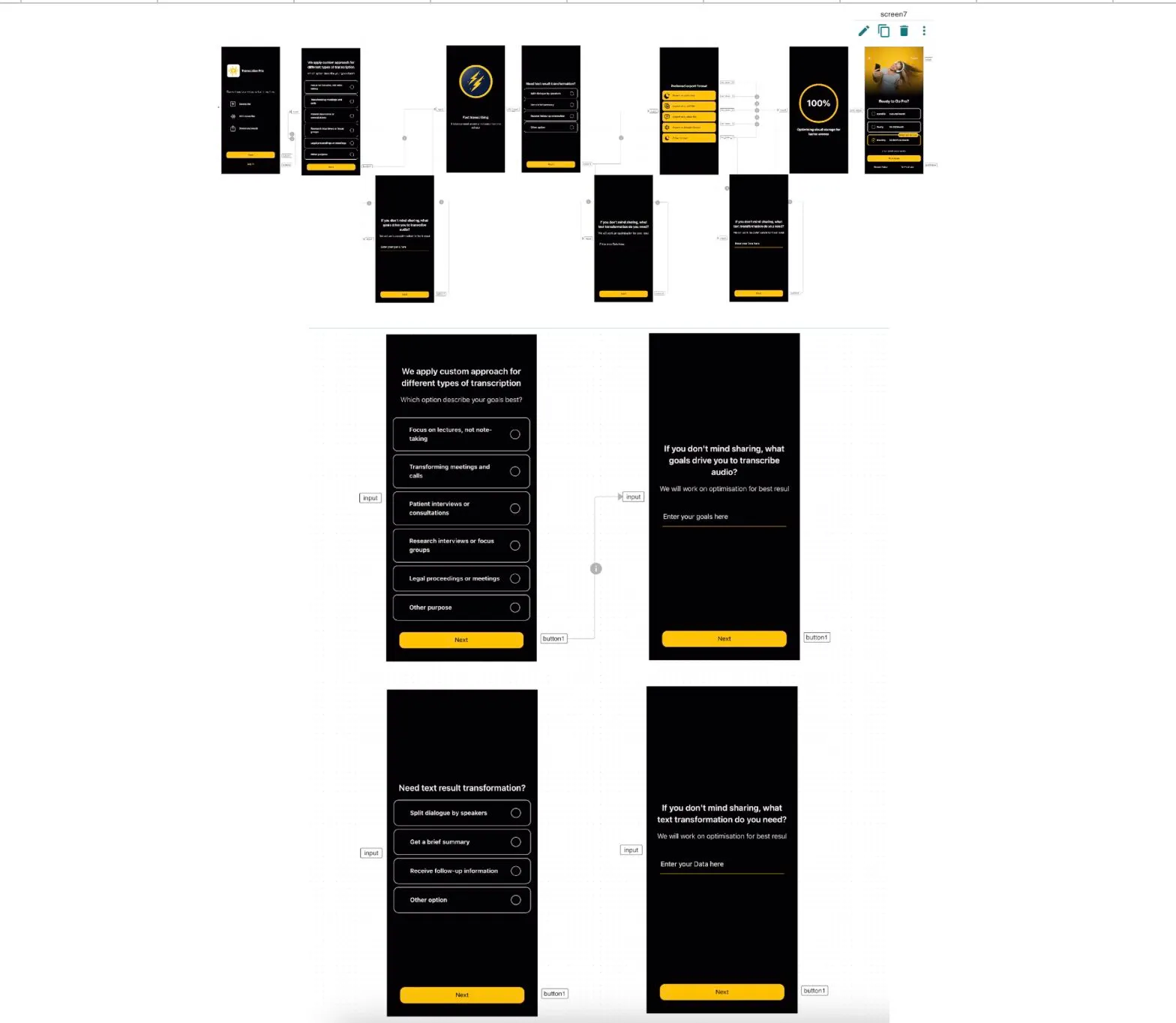
2. You can conduct an A/B test by simply adding a screen where you ask a direct question to the user. This might temporarily lower the conversion for a small segment, but the valuable information you gain is worth it.
💡 For an app that converts audio into text, we learned:
- How it's used (for studying—receiving lectures, for work—meeting texts, customer interviews, etc.).
- What additional text transformations interest users (e.g., creating summaries, splitting dialogues by speakers).
- The needed text export format.
🔥 With this information, we were able to:
- Prioritize the client's backlog.
- Increase onboarding conversion by 40%.
- Boost first-time usage conversion by 36% (since we collected all user settings during onboarding, all they had to do was upload a file).
Key takeaways
- Onboarding lets you ask users about their needs, their context of use, their experience with similar products, their goals and their dislikes.
- An “other (your choice)” option followed by a free-text screen gets users to share answers you did not think to offer, as Lose It does.
- Once the free-text answers stop bringing new information, remove the option and repeat the research periodically.
- A screen with a direct question can run as an A/B test: it may briefly lower conversion for a small segment, but the information is worth it.
- For an audio-to-text app, these answers helped prioritize the backlog and raised onboarding conversion by 40% and first-time usage conversion by 36%.